
How cibot started four years ago, and why now is the time to build it
A first look at the idea behind cibot and the work that comes next.
The idea of cibot started in 2022, when I was looking for a GitLab bot to automate annoying stuff in GitLab that required me to do manual work.
Things like writing custom scripts for sending Slack messages, manually adding labels to tickets and merge requests during the development lifecycle (in progress, in review, returned back to review), updating merge requests with ticket IDs so they were visible in each issue, or adding a label to a ticket when its implementation moved to staging and later to production.
I liked the idea enough that, at some point, I did what I usually do when something keeps staying in my head: I bought the domains. cibot.app, gitlabbot.com, githubbot.com. Just in case this little idea from my notes actually became something one day.
All of this could be automated with more complex scripts, but I was not bothered to build and maintain those scripts across multiple projects. In the end, I was buried in a mix of projects that needed my full attention, and the idea stayed only in my notes app.
Then AI agentic development started becoming a thing, and I shifted my focus to finding a way to run my development cycle with an agent, but not locally on my PC, where all my keys and access to client infrastructure are.
First, I tried running agents inside a full VM with UTM. It worked, but the experience was clumsy.
Then I found Docker Sandbox. That was much closer to what I wanted, but using it across multiple projects quickly became expensive in disk space. Each sandbox created a large VM.
Later, when Docker moved to docker sbx, I tried that too, but the experience was unreliable. Sometimes the sandbox would not appear at all, while the UI stayed stuck.
At that point, the requirement became much clearer:
I did not want a new VM for every project. I wanted one isolated development machine that could hold my projects and safely run agents.
Lima to the rescue
That is where Lima, or limactl, fit surprisingly well.
I created a separate identity for GitLab and GitHub, with its own SSH key and limited permissions.
Then I built a bootstrap script that installs what I need, sets up my shell with Starship, installs Codex, PHP, Docker, and copies my ECDSA key with a passphrase.
The important part is that the VM stays isolated from my main machine. File sharing can be disabled, credentials are separate, and the agent gets only the access it actually needs.
Now my flow is quite simple:
In iTerm, I created a custom profile that starts limactl shell dev. I have a shortcut, Control + Command + C, to open it in a new tab or window.
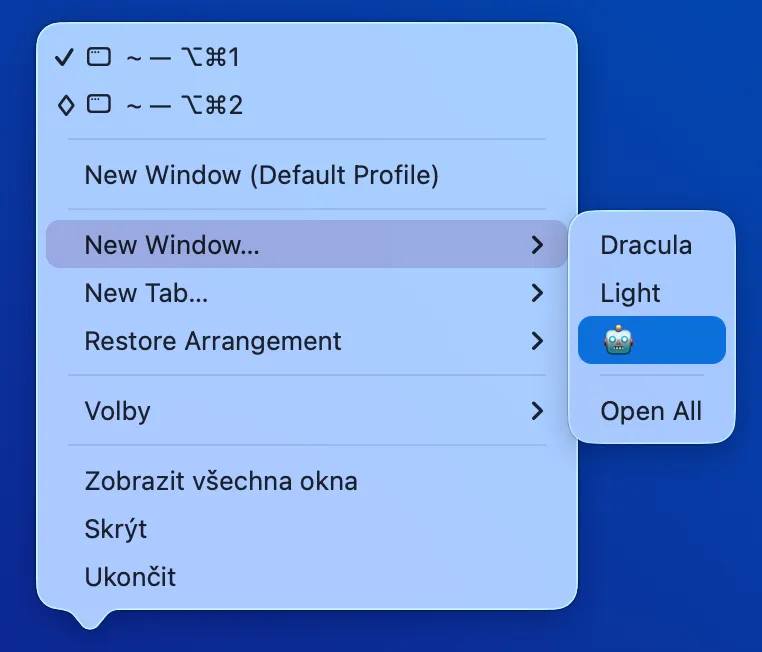
In my Bash profile, I start ssh-agent. Agents can push, but if the SSH key is leaked, at least it is still protected by a passphrase.
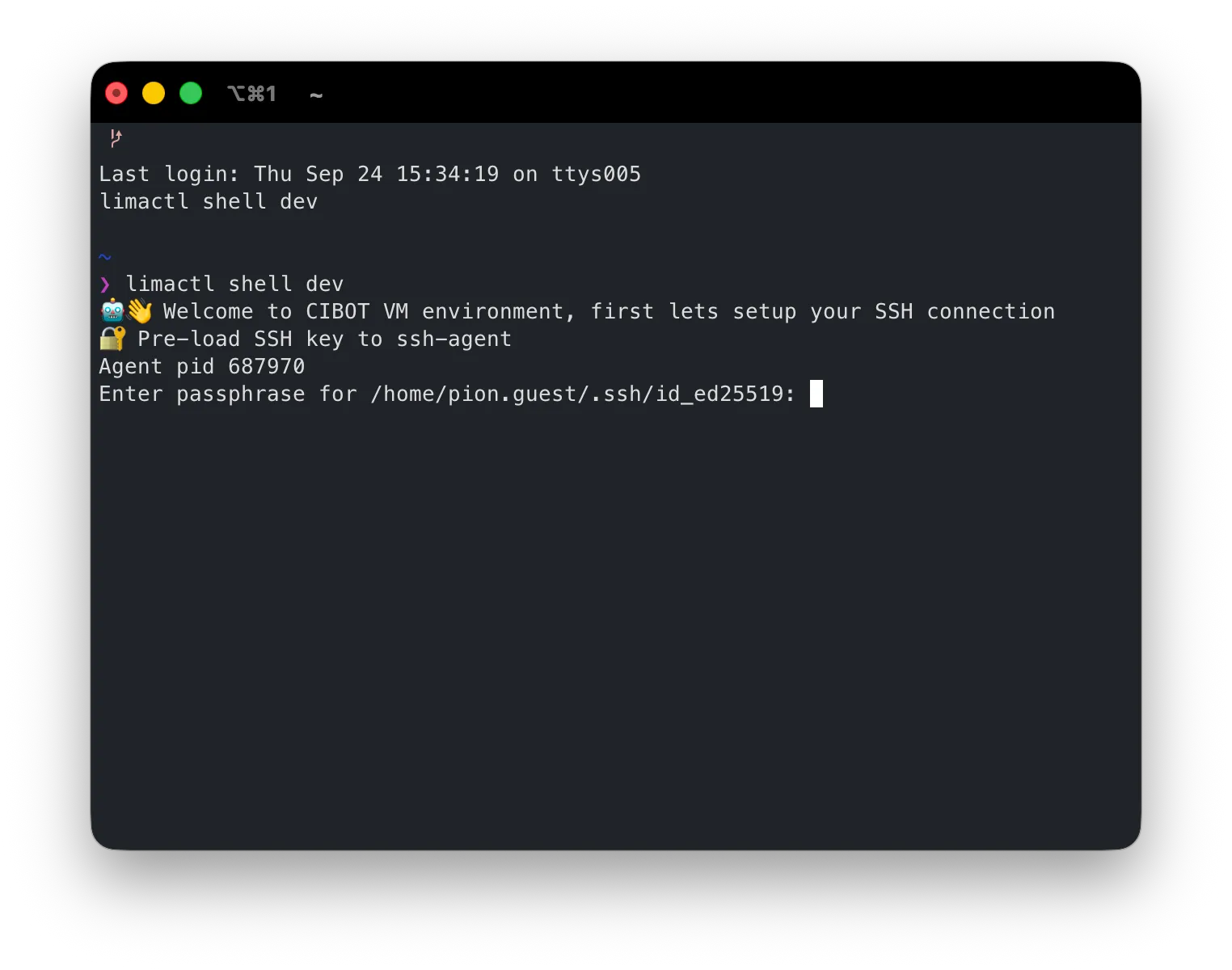
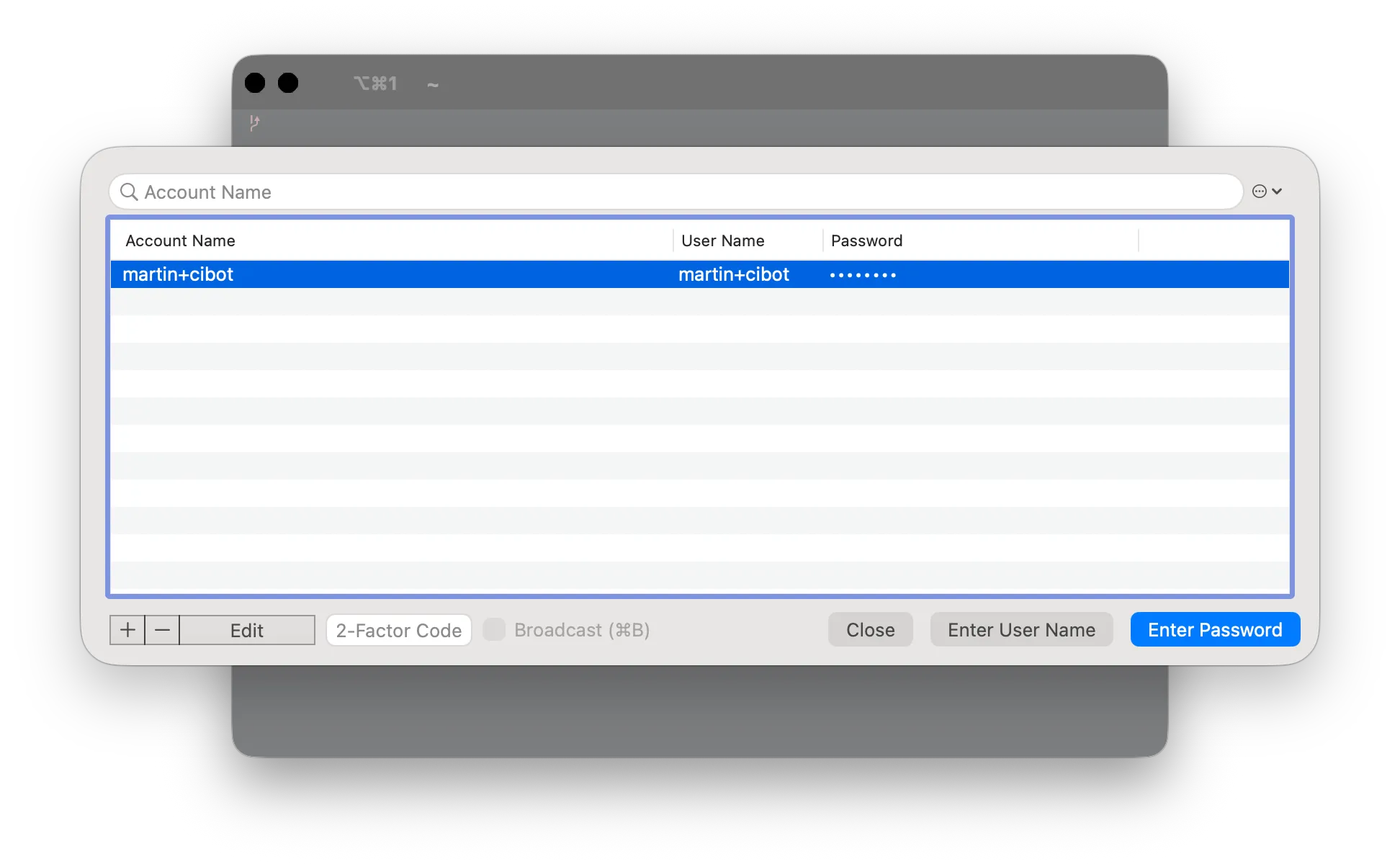
I use iTerm’s credential management to insert the passphrase by pressing Option + Command + F, then Arrow Down and Enter.
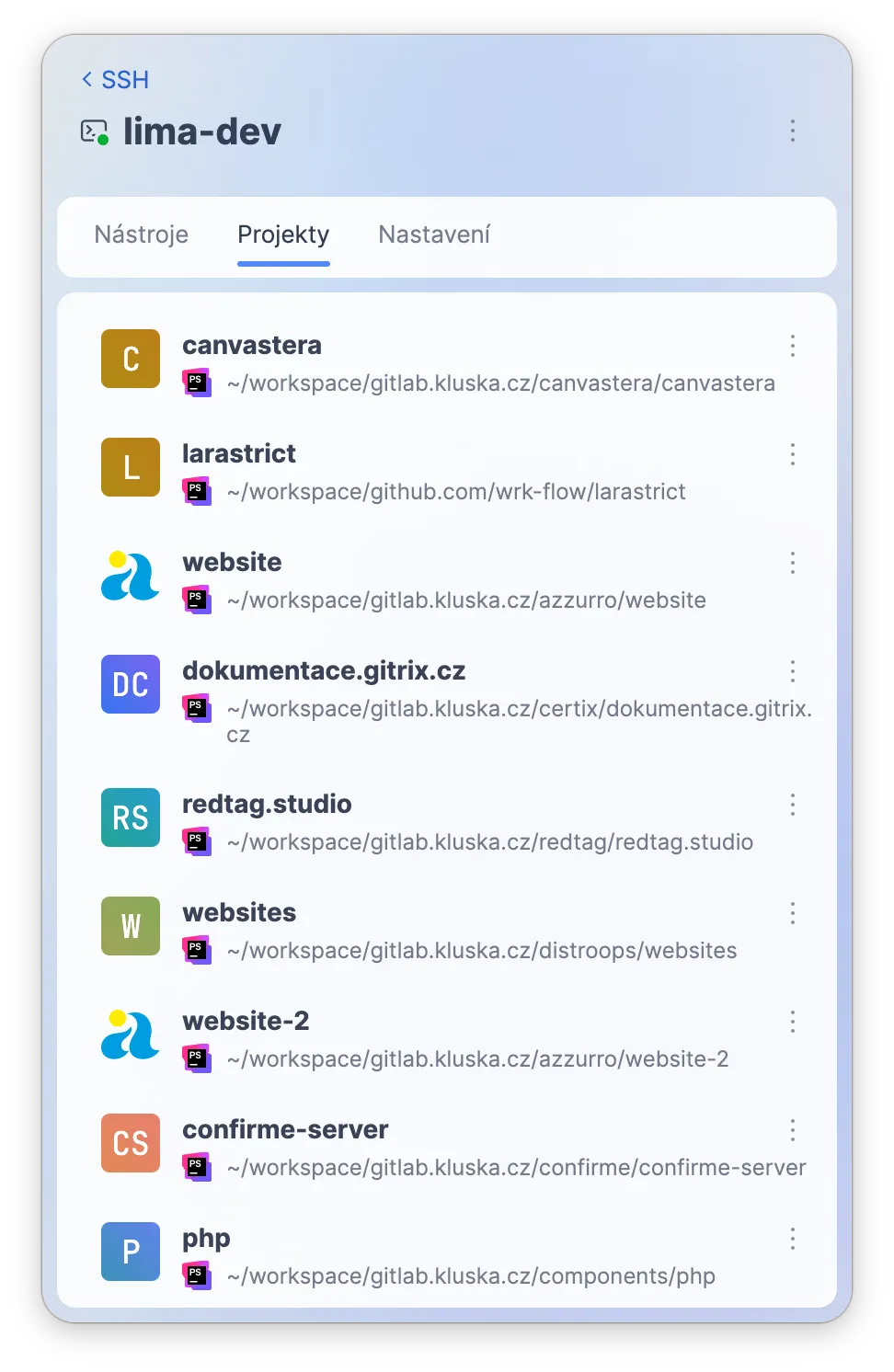
And now I can run my agents and connect PhpStorm or GoLand directly to the VM too.
Moving to a more autonomous mode
Once the sandbox setup became stable, the next problem was context.
I organized my projects under a common ~/workspace structure, which made it easy for agents to inspect related repositories. The root folder contains the hostname of a repository host, and each repository is placed underneath it.
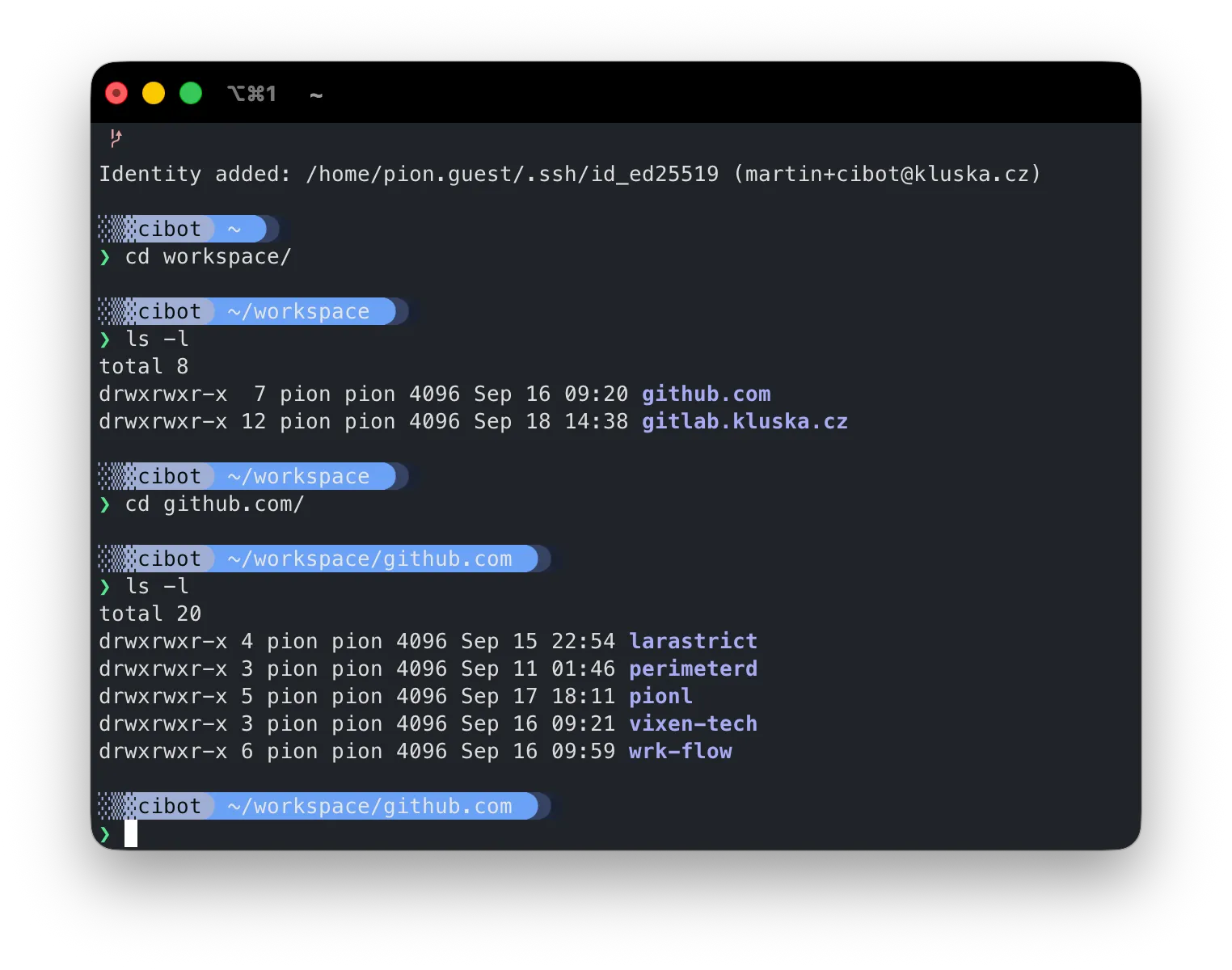
I could ask an agent to look at another project, reuse an approach, or make coordinated changes across repositories.
But I kept repeating the same instructions.
- Where is this package?
- Which repositories are related?
- How do we structure GitLab CI?
- Which shared Docker images should be used?
- What is allowed when working with AI?
That became the next thing to solve.
For my colleagues, I had already created a central place to collect guides on how to create GitLab CI automations, what you can use with AI, and what you should not.
Thanks to this, I created AGENTS.global.md and CONTRIBUTING.global.md, which act as a gateway to centralize how our agents and we work.
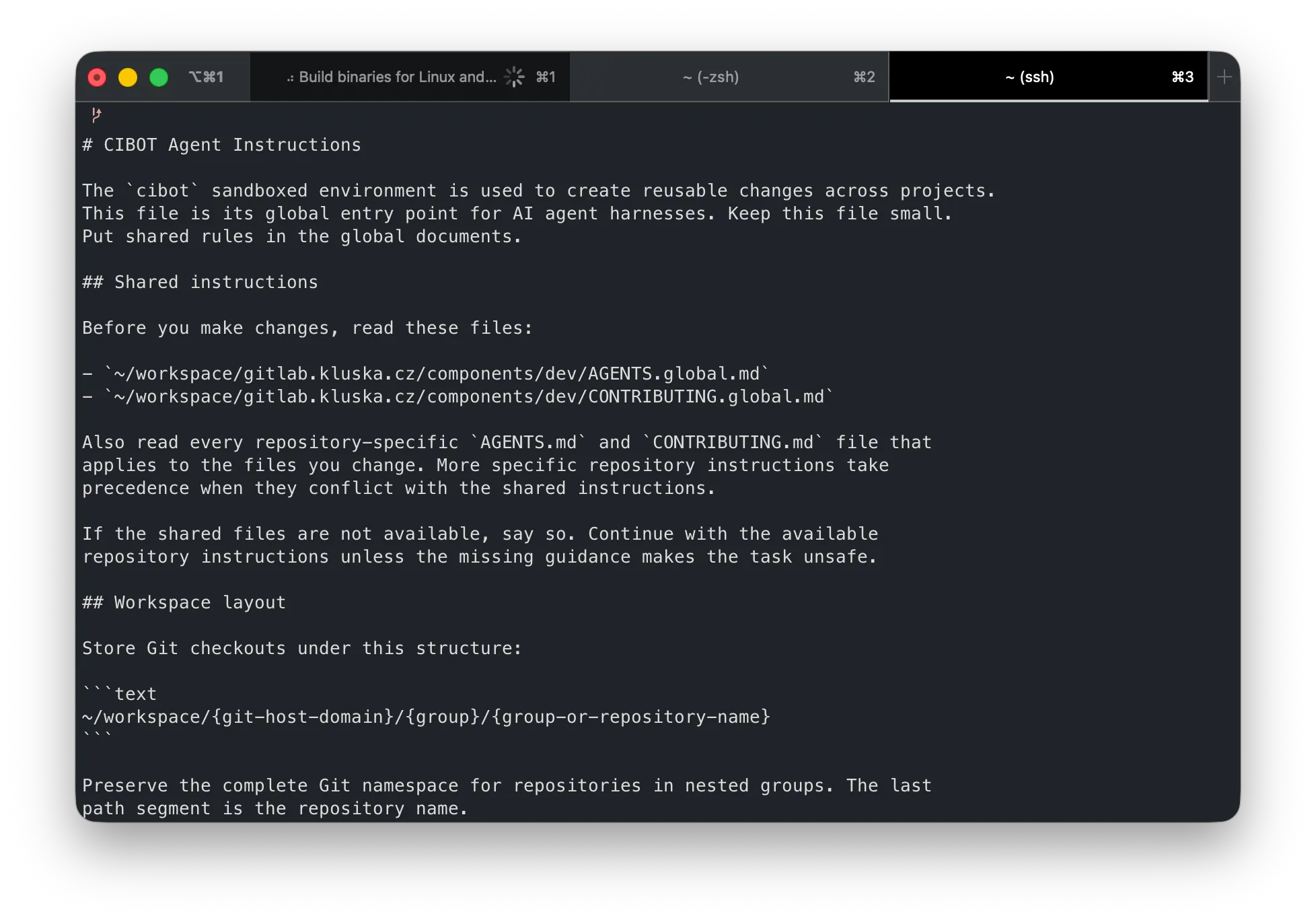
Instead of explaining the environment every time, the agent gets a gateway into how we work: where repositories live, which reusable components exist, and which conventions it should follow.
I just need to clone the repository and create a symlink to the global agent instructions. From there, the agent can understand how to access repositories and how to use reusable components, such as the GitLab CI/CD Catalog and our shared Docker images.
That changed the experience quite a lot.
When I upgraded several Laravel projects to PHP 8.5 and Laravel 13, agents could discover dependencies, inspect related packages, tell me when they needed access or a fork, and continue working across multiple projects.
A job that would have taken me weeks a few years ago became two days of parallel work across four projects.
The result was not perfect. AI still introduced bugs. But between manual review and automated CI/CD tests, those bugs were manageable.
But something was still missing
There were all the discussions in our team about needing code reviews.
CLI is great for some people, while a GUI app is better for others. But running these tools safely inside a sandbox is not always possible.
So the research began.
There are a lot of tools, but there is always a BUT.
We did not want to send our data outside. Yes, AI still sends our code to the model provider, but running an agent directly in GitLab CI is something I do not trust.
Thanks to AI, and to everything we learned by using it in co-development, my findings around securing the development environment started shaping the roadmap for what cibot should provide.
In a nutshell:
- I want to develop features through real-time interaction on my machine, but in a secure way.
- I want to be able to delegate small things through GitHub mentions to my “AI” agent identity.
- We can provide a global GitLab identity for my colleagues to use for reviews, running in a separate sandbox with a separate Codex subscription identity.
- I want to run Playwright tests and actually see the UI. Using VNC over WebSockets is awesome. I can see what is happening!
- I want to track which sources agents use and start limiting them to GET/OPTIONS requests and verified sources.
- I want to provide the basic guidelines and setup for my colleagues: just clone the repository and start cibot from it.
- I want reusable workflows that let us tweak autonomous development through an MDX format.
- I want to run Swift development on my Mac, while running the sandbox runner on dedicated hardware and connecting it to the control plane.
- And I can go even further: use my unused Raspberry Pi as a network security layer.
Yes, there is a lot to do. But with the right development cycle, we can develop it with AI.
There is a catch, though.
A lot of projects already do parts of this, but using them is often painful for me. I can feel the AI slop everywhere.
Development is accelerated, but the human touch in UX is often missing.
Because we are able to do so much, we keep pushing more and more.
But what has always been important to me is the UX behind everything.
We still need to force ourselves to keep humans in the loop. The agent will not use the UI. It does not care.
We are the ones who need to ensure that it makes sense, that there are no “badges” for no reason, that the interface stays understandable, and that the product still feels intentional.
This is what makes a great product different.
And that has always been one of my driving forces since 2010.
I hope we can deliver this to users and partners who will appreciate it.
Thank you for your time, Martin.
Note: This text was written by me. AI was used mainly to fix grammar and make small improvements to the text flow.