
More control over your workspace
Account access, shared task attention, richer terminal history, and machine readings bring more context to work in cibot.
Work in cibot can span several tasks, terminals, and machines. A command may still be running in one terminal while another task needs a response. Returning to that work depends on having enough context: what finished, what is waiting, and which machine is carrying the load.
Recent updates bring more of that information into the workspace. Account ownership gives resources a clear home. Shared task state makes completed work easier to follow across windows. Terminal history, reminders, and machine readings add context around the work itself.
Account access and ownership
Account access now includes password and authenticator-code sign-in, hardware-key sign-in, and settings for authentication and appearance. These controls put account access and personal interface preferences in the same part of the product.
Resource registration also has an account boundary. Browser approval connects an orchestrator to an account, and its Runners inherit that ownership. Resources remain private to their owning account. An administrator role does not grant access to another account’s resources. This gives each workspace a defined owner as cibot develops its account features.
Browser sessions can survive browser and Control Plane restarts. An active browser can renew its session, which reduces interruptions during ongoing work. An expired session still requires sign-in. The current account features cover private workspaces. Sharing and invitations remain future work.
Clearer signs of work that needs attention
The Work badge counts tasks with completed work awaiting acknowledgment. Each task contributes once, so several completion reports from one task do not inflate the count.
Hidden panels also show activity counts. A terminal does not have to remain visible for its activity to matter to the workspace. The panel indicator makes that activity visible while another panel is in use. Attention navigation covers completed work as well as tasks that need a response, including waiting and blocked states.
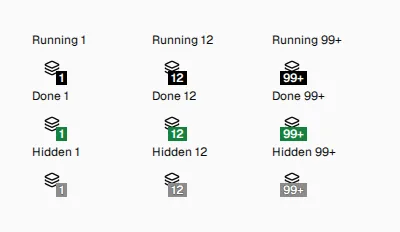
Illustrative component examples of running, completed, and hidden panel counts.
Supported installed app icons can show the Done count as well. That presentation depends on browser and operating-system support, and the count does not update while the app is closed. Shared acknowledgment keeps the recorded state consistent across windows when the same completed work is seen elsewhere.
A workspace order that carries across windows
Task order is now saved and shared between authorized browser windows and devices. A confirmed move remains after a reload, and new tasks appear first within their Runner. Activity in a task, a rename, or a new terminal panel does not assign that task a new position.
Pending moves appear immediately, while a rejected move returns to the current saved order.
A Go back action also connects the two most recently selected tasks. It supports returning to earlier work after a brief visit to a second task. That short history belongs to the current window and is not persisted. Task navigation wraps at the ends of the available list, while browser shortcut bindings also work in installed app windows.
More context when returning to a terminal
Terminal history now retains more output, and restored scrollback carries more context when a terminal is revisited or reconnected. The change also addresses output above an application’s fixed footer, where previously visible history could be lost when the terminal view was restored.
Previously discarded lines cannot be recovered, and the larger history requires matching updates across cibot components.
Each terminal keeps its own history independently. A busy terminal cannot evict another live terminal’s history. New terminals remain subject to configured Runner creation limits, machine capacity, and task panel limits.
Reminders that stay with the work
A terminal reminder produces a persistent warning when it becomes due. It stays attached to its source terminal and can draw attention even while that terminal or task is hidden. Removing the reminder clears that entry across browser windows.
Reminder warnings stay separate from program completion reports. A reminder becoming due does not mean that an ongoing command has finished. Deadlines are stored so due reminders can be recovered after a restart, keeping that time-based signal connected to the work that created it.
Related work from the command line
An existing cibot shell can now create related terminals in its task or a fresh task on the same Runner. New terminals can start with an initial command and a selected pane position. In Bash and Zsh, an initial command runs once and returns to an interactive prompt, leaving the terminal available for follow-up work.
Grouped creation can prepare several terminals through one request. The new shells remain available after the creation command exits, and configured creation limits apply to the group as well. This lets scripts and agents arrange related work in the workspace while the original shell continues its own task.
Within a cibot terminal, commands launched through cibot run can report a running state, successful completion, or failure. The command’s normal output and terminal behavior remain available, with its state reflected in terminal status.
A clearer view of machine capacity
Settings → Orchestrators now shows CPU use, memory, and disk capacity for each Runner. CPU readings show activity against the machine’s logical CPU capacity. Memory and disk readings show used and total capacity, with remaining capacity made visible as well.
These readings help identify a busy machine or shrinking disk space while work is still in progress. System load is shown separately from CPU use, since load describes demand on the machine rather than the percentage of CPU currently busy. The workspace footer also surfaces sustained critical resource conditions.
Readings can become stale or unavailable, and the interface identifies those states. An old or failed reading is not presented as a fresh measurement. That distinction matters when the same workspace contains Runners with different connection states or reporting conditions.
Updates with clearer choices
The installer now recognizes the executable components already installed and previews the selected changes. Existing settings stay in place, and adding another role remains an explicit selection. The completion summary shows what was installed, giving the update a visible result.
Interactive setup can also retain non-secret choices between attempts. A repeated setup command can resume those choices for review, while passwords and registration tokens are requested again. This reduces repeated entry without treating saved setup selections as saved credentials.
Service restarts remain a separate choice after a terminal update. Current processes stay running by default. An accepted orchestrator restart after a Runner update also restarts its running owned Runners and ends their terminals. Stopped Runners stay stopped. The update flow makes that consequence part of the decision around ongoing work.
Note: cibot is currently in ALPHA. Neither binaries nor source code have been publicly released.